マリモ
StarRocksクラスターをマリモ, 再現性とインタラクティブ性のために構築されたリアクティブなPythonノートブックと統合します。
前提条件
まず、Marimoクイックスタートドキュメントに従ってMarimoをインストールし、ノートブックをセットアップします。
以下のパッケージも必要です。
pip install starrocks sqlalchemy pandas
StarRocksへの接続
を使用して接続エンジンを作成します。SQLAlchemy接続文字列の形式は次のとおりです。
starrocks://username:password@host:port/database
import marimo as mo
import sqlalchemy as sa

engine = sa.create_engine("starrocks://username:password@<host>:9030")
<host>をStarRocks FEホストに置き換えてください。
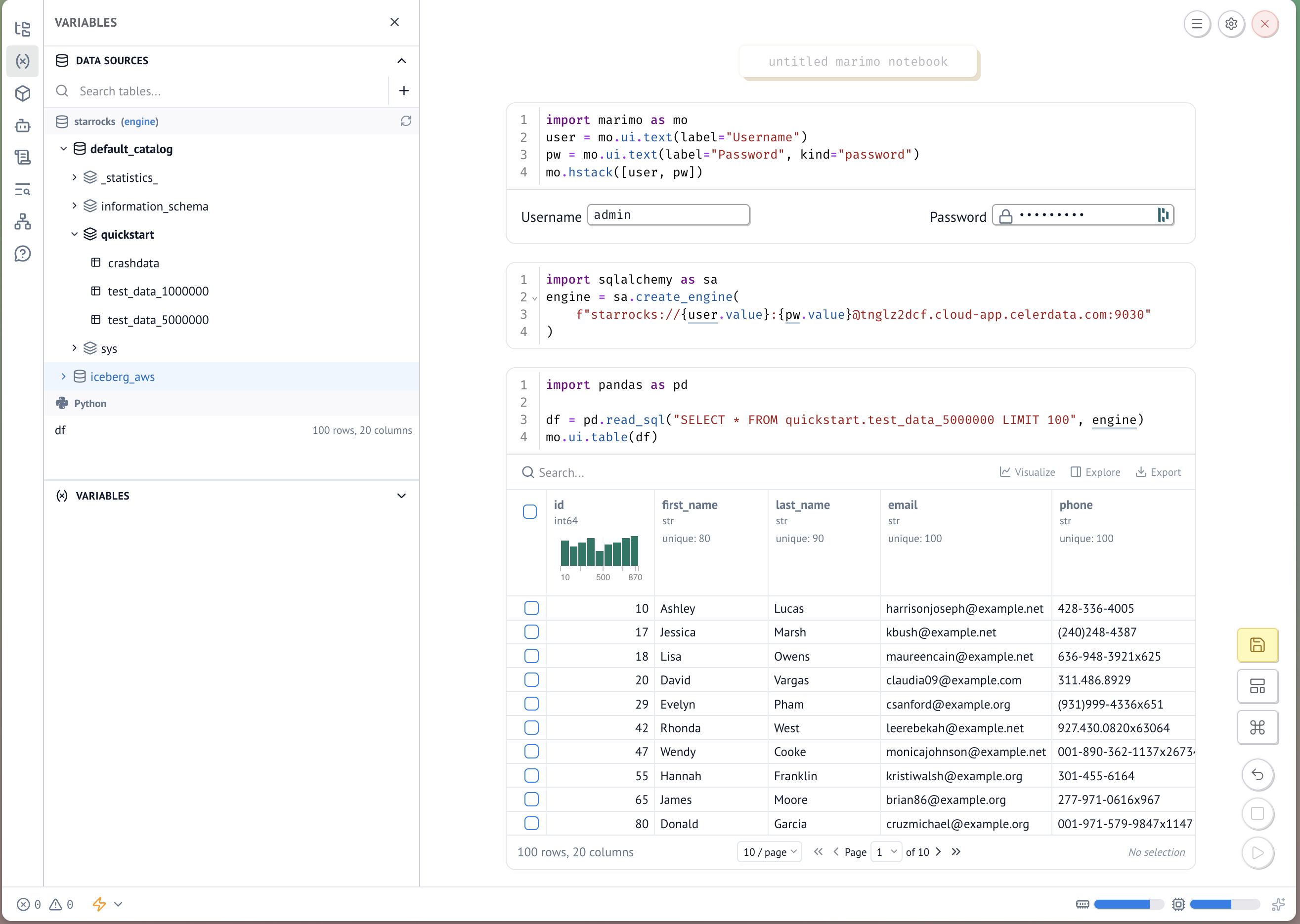
資格情報にMarimo UIを使用する
資格情報をハードコーディングしないように、MarimoのインタラクティブなUI要素を使用して実行時に収集します。
セル1 — 入力フィールドをレンダリングします。
user = mo.ui.text(label="Username")
pw = mo.ui.text(label="Password", kind="password")
mo.hstack([user, pw])
セル2 — 入力された値を使用してエンジンを作成します。
engine = sa.create_engine(
    f"starrocks://{user.value}:{pw.value}@<host>:9030"
)
StarRocksのクエリ
エンジンが確立されたら、pandasを使用してクエリを実行します。
import pandas as pd

df = pd.read_sql("SELECT * FROM my_database.my_table LIMIT 100", engine)
mo.ui.table(df)
:::注意
マルチカタログのサポートには、Marimoバージョン0.22.5以降が必要です。
:::
